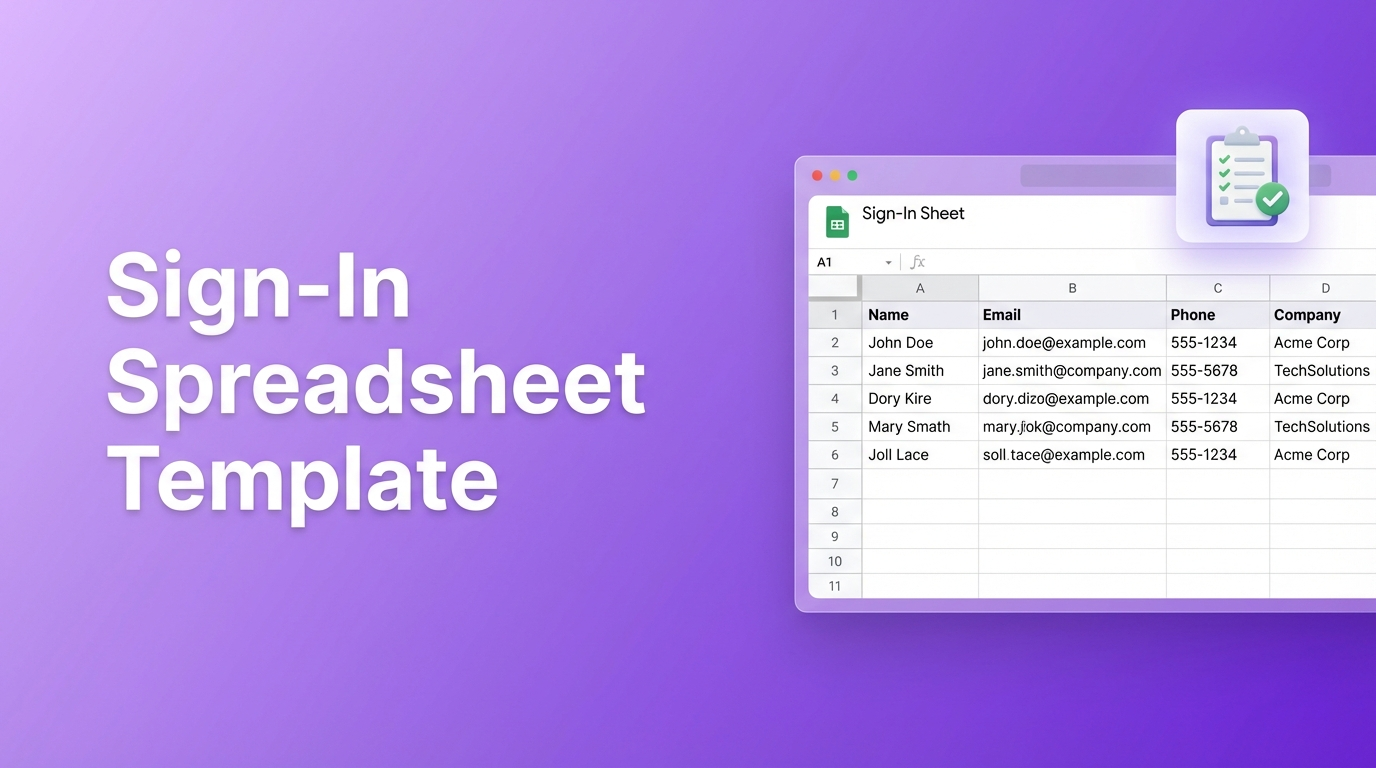
Need a sign-in sheet for an event, meeting, or potluck? You could search for templates, download one that's almost right, then spend time tweaking columns. Or you could just describe what you need and have it built quickly.
Spreadsheet Agent lets you create any sign-in spreadsheet template by typing what you want in plain English. Event attendance with check-in times? Potluck sign-up with dish assignments? Volunteer roster with availability? Just describe it—the AI builds your Google Sheet.
Step 1: Describe Your Sign-In Template
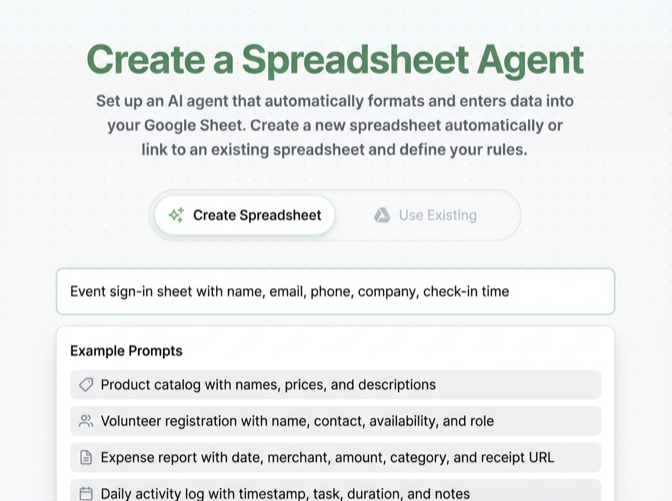
Head to Spreadsheet Agent and create a new agent. Instead of hunting for the right template, just describe what you need:
Event Sign-In Sheet
"Event attendance sign-in with name, email, phone number, company, and check-in time"
Potluck Sign-Up Sheet
"Potluck sign-up template with name, dish they're bringing, serving size, and any dietary notes"
Meeting Attendance Tracker
"Meeting sign-in sheet with attendee name, department, arrival time, and topics to discuss"
Volunteer Sign-Up Sheet
"Volunteer registration with name, email, phone, availability, and skills or experience"
Copy any of these prompts to create your own Google Sheets sign-up sheet template—or write your own description for a custom format. The AI generates the columns automatically.
Step 2: Review Your Template Columns
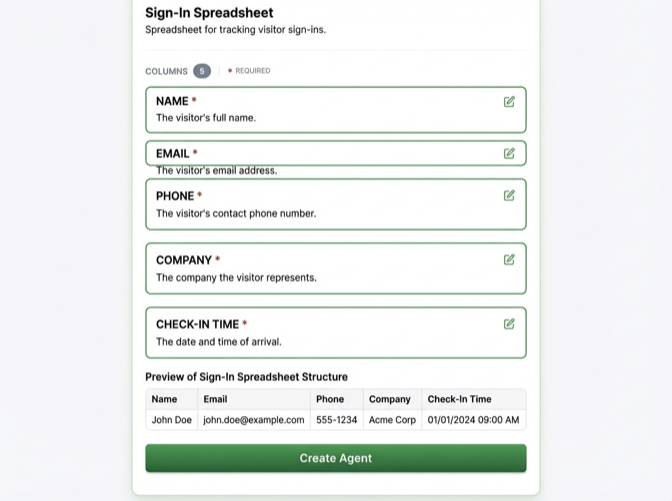
Spreadsheet Agent generates columns based on your description. For an event sign-in, you might see:
- Name — Attendee's full name
- Email — Contact email address
- Phone — Phone number (optional)
- Company/Organization — Where they work or who they represent
- Check-In Time — When they arrived
Need different columns? Click to edit, add, or remove. Want a "Plus One" column for events? A "Dietary Restrictions" column for potlucks? Just add it.
Step 3: Start Collecting Sign-Ins
Your sign-in spreadsheet is ready in Google Sheets. Now you can:
- Share a link — Let people fill it out directly
- Print it — Use as a paper sign-in sheet at your event
- Upload photos — Photograph completed paper sheets and extract the data back into your spreadsheet
That last option is powerful: if you use paper sign-in sheets at events, you can photograph them afterward and Spreadsheet Agent extracts all the names and info back into your Google Sheet. No manual data entry.
Bonus: Digitize Paper Sign-In Sheets
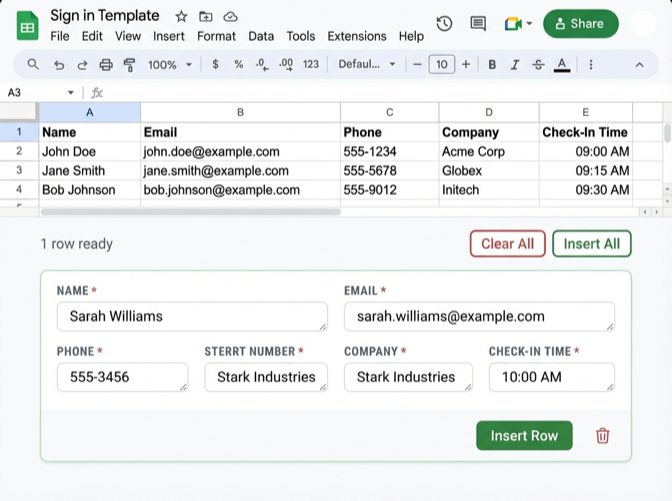
Already have paper sign-in sheets from past events? Photograph them and upload to Spreadsheet Agent:
- Snap a photo of your completed paper sign-in sheet
- Upload the image to your sign-in agent
- AI extracts names, emails, phone numbers from the handwriting
- Review the extracted data and insert to your Google Sheet
This works for conference attendance lists, workshop rosters, visitor logs—any paper form you want to digitize without typing it all manually.
Sign-In Templates for Every Situation
The same approach works for any sign-in or sign-up scenario:
- Conference attendance — Track who showed up, their company, session interests
- Workshop registration — Name, email, experience level, equipment needed
- Potluck sign-ups — Who's bringing what, serving sizes, allergen info
- Volunteer coordination — Availability, skills, contact info, assigned tasks
- Office visitor log — Name, company, who they're visiting, badge number
- Class attendance — Student name, ID, date, present/absent
- Club membership — Member name, join date, dues status, contact
Instead of searching for a template that fits, just describe your columns and create exactly what you need.
Why This Beats Searching for Templates
Traditional template sites give you fixed formats. You download one, then spend time:
- Deleting columns you don't need
- Adding columns they didn't include
- Renaming headers to match your use case
- Reformatting to look right
With Spreadsheet Agent, you describe what you want and get exactly that. Need a field for "T-shirt size" at your charity run? Just mention it. Want a "Carpool availability" column for your event? Add it to your description.
Text to spreadsheet means any format you can describe becomes a template you can use.
Frequently Asked Questions
How do I make a sign-up sheet on Google Sheets?
The traditional way: create a new spreadsheet, add column headers (Name, Email, etc.), format cells, then share. The faster way: use Spreadsheet Agent to describe your sign-up sheet in plain English and have it generated automatically with the exact columns you need.
How do I create a sign-up sheet in Google Sheets with time slots?
Describe it in your prompt: "Sign-up sheet with name, email, and time slot selection (9am, 10am, 11am, 12pm)". Spreadsheet Agent creates columns for each field. You can also add instructions like "time slot should be a dropdown" for formatting guidance.
Is there a free sign-in sheet template for Google Sheets?
Yes—Google Sheets has a template gallery with basic options. For more flexibility, Spreadsheet Agent lets you create custom sign-in templates quickly by describing exactly what columns you need.
How do I make a potluck sign-up sheet in Google Sheets?
Use this prompt: "Potluck sign-up with name, dish they're bringing, serving size, and dietary notes (vegetarian, gluten-free, contains nuts)". You'll get a spreadsheet with columns ready to share with your group.
Can I digitize a paper sign-in sheet into a spreadsheet?
Yes. Photograph your completed paper sign-in sheet and upload it to Spreadsheet Agent. The AI extracts names, emails, and other info from the image—including handwriting—and lets you add it to your Google Sheet without manual typing.
Create Your Sign-In Template Now
Stop searching for templates that almost fit. Describe the sign-in sheet you need—event attendance, potluck sign-up, meeting roster, volunteer list—and have it built quickly.
When you are ready, open Spreadsheet Agent and generate the exact sign-in format you need.